How to Catch Santa on Camera
Once kids hit age seven or eight, they set phone traps, inspect shadows, and ask to check the Ring or living-room camera feed first thing on Christmas morning. Here is how parents stage an airtight "caught on camera" moment — from camera height and room lighting to comparing DIY tricks, sticker apps, and AI security-cam captures.
Instant guest checkout · no subscription · 5 credits for $4.99 one-time
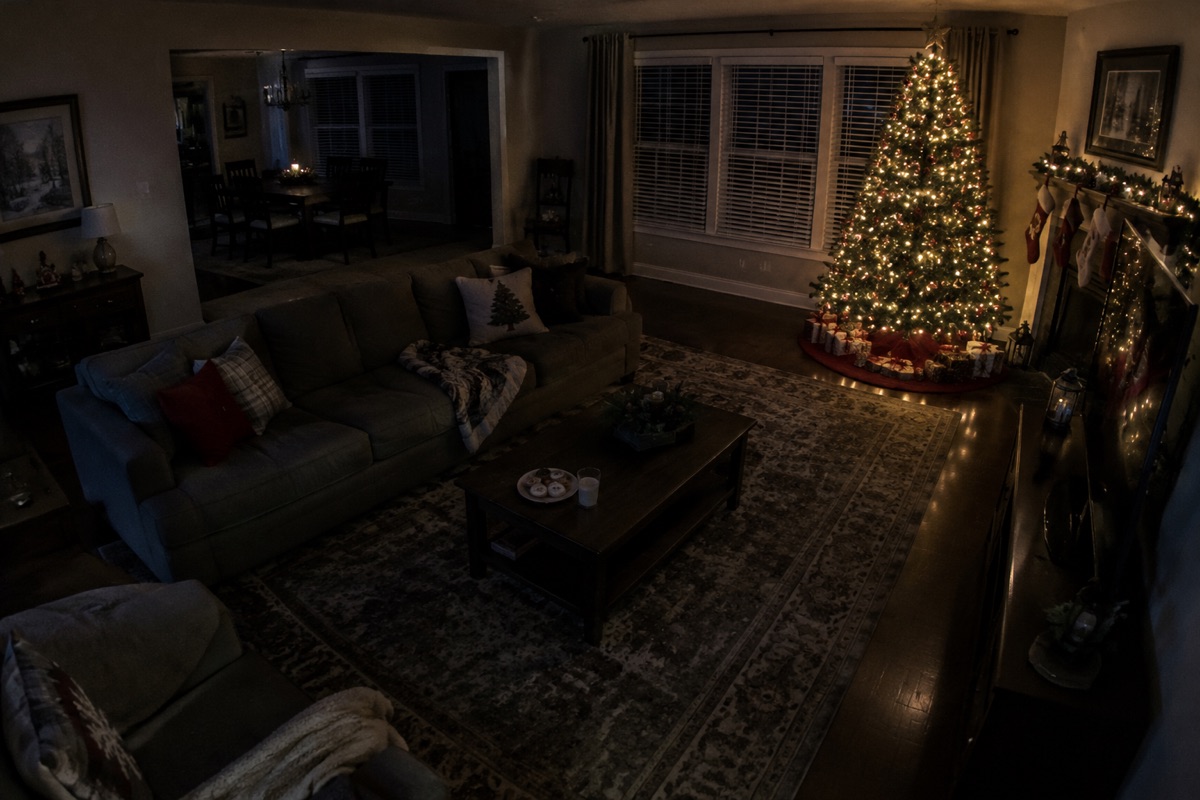
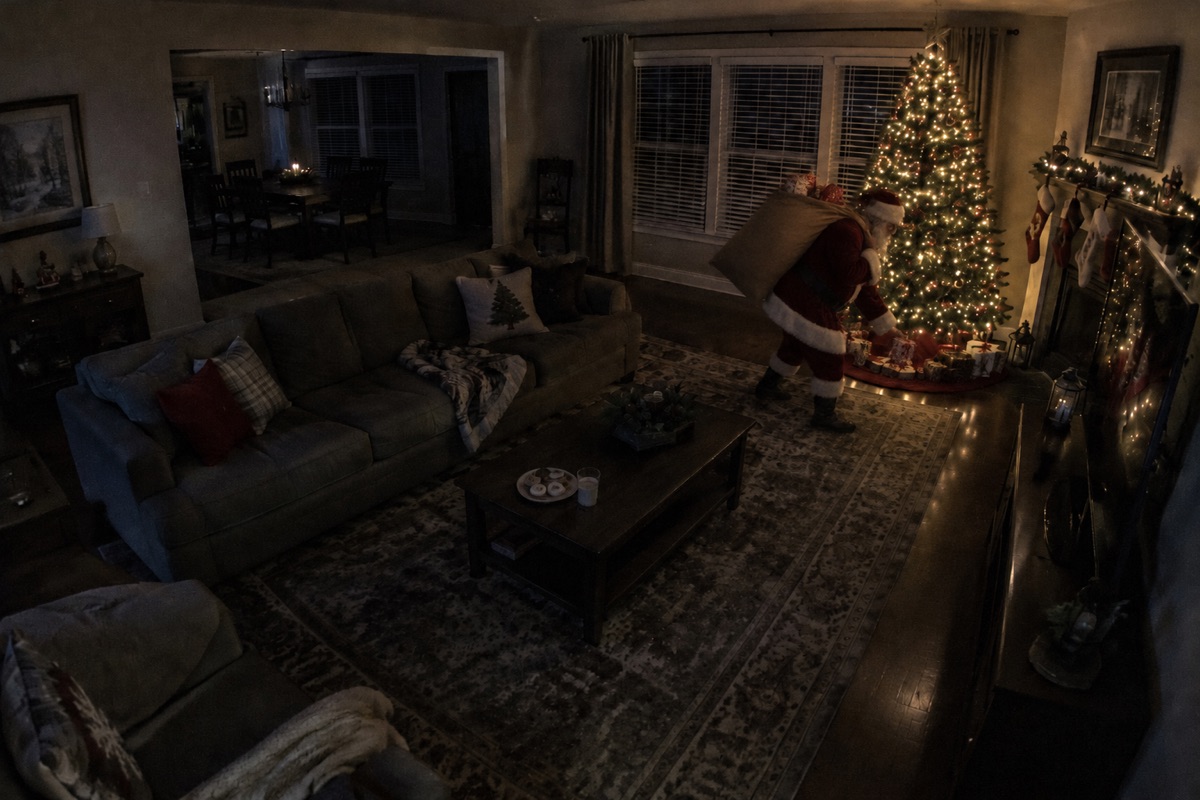
Three real home-camera captures
Make yoursEvery capture was generated directly from the empty room or porch photo beside it.
Your exact furniture, Christmas tree, stockings, and camera angle stay untouched.
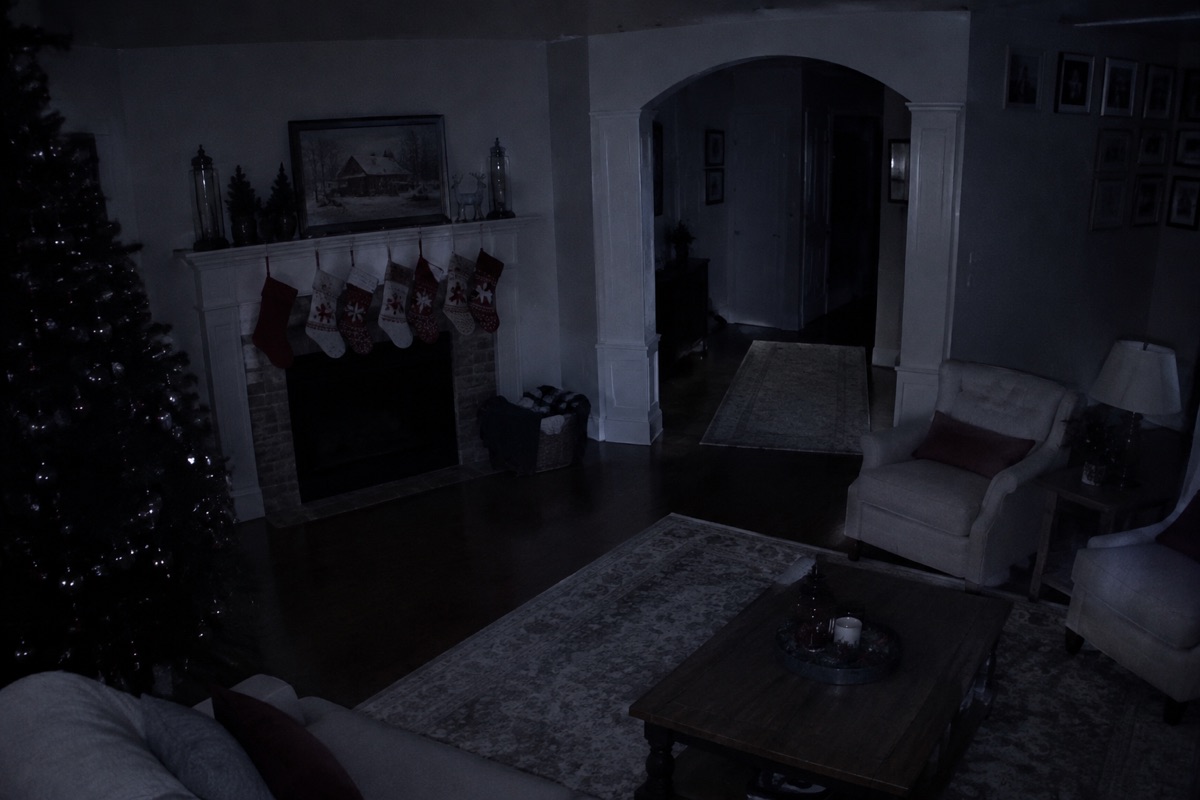
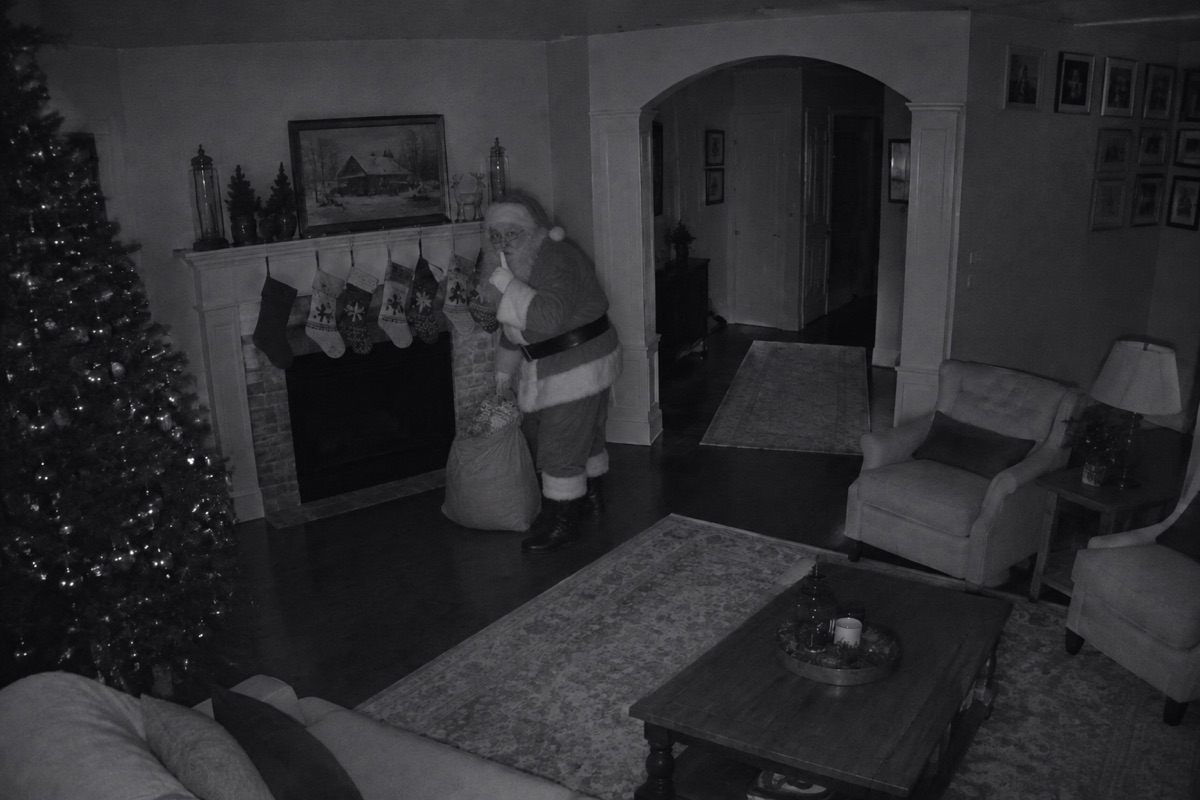
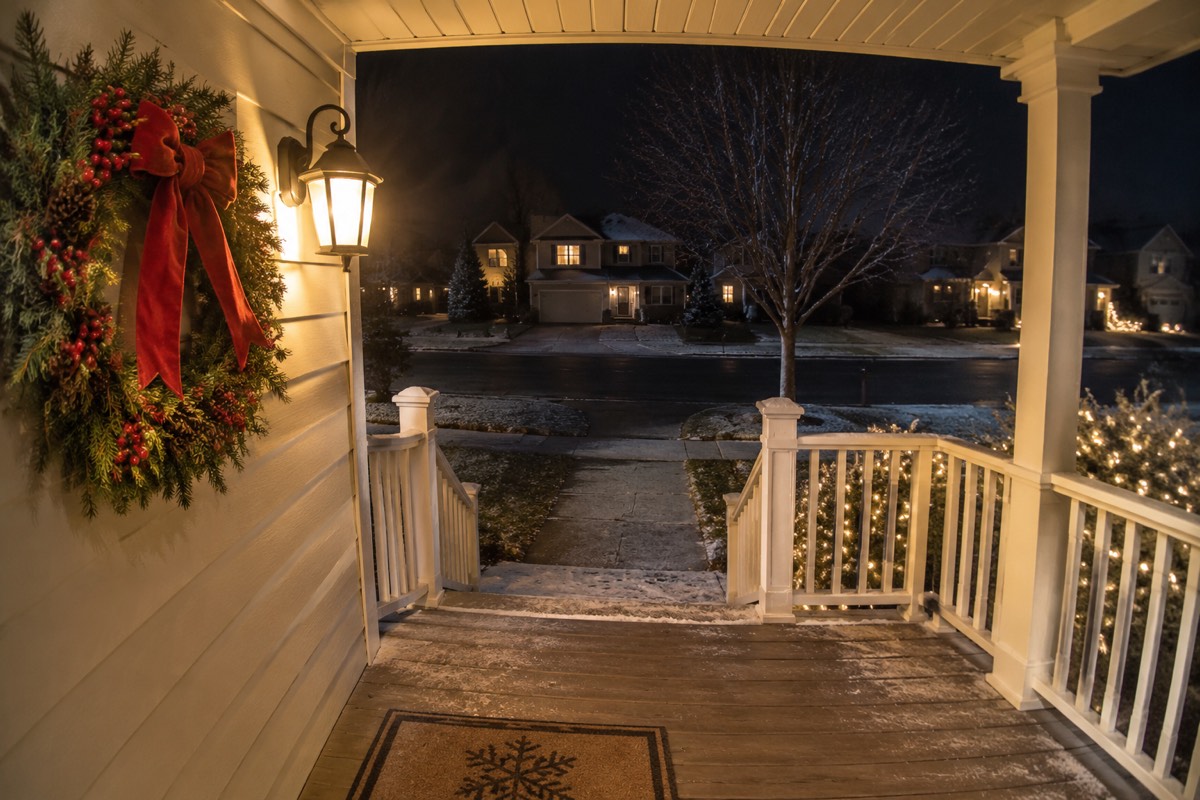
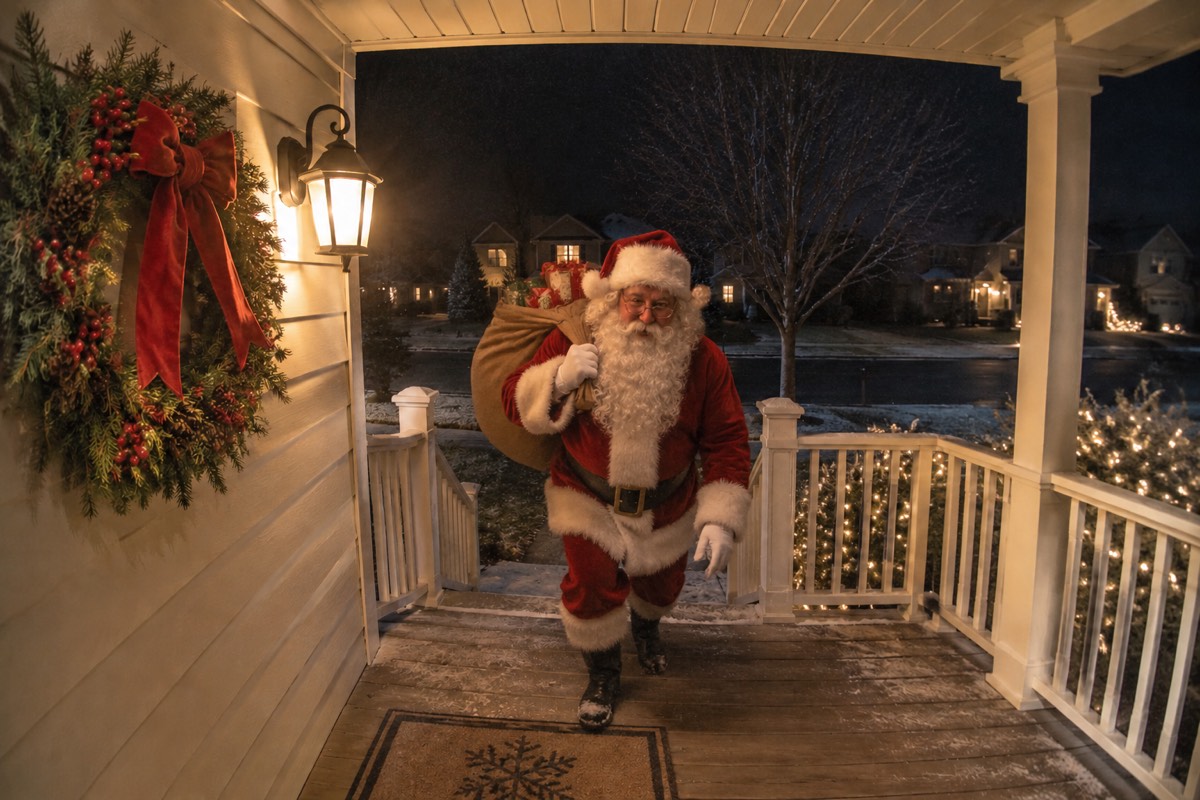
Every capture was generated directly from the empty room or porch photo beside it.
Your exact furniture, Christmas tree, stockings, and camera angle stay untouched.
How it works
To begin, after the kids are asleep (and before or after gifts are out), turn off ceiling lights and snap a high-corner wide photo of your room or porch.
Then, upload the photo above and pick Night-Cam Color, Infrared Night-Vision, or 5s Motion Video.
Finally, save the capture to your phone album so it is ready when the kids ask to check the cameras in the morning.
One room photo in, realistic security-camera proof out. Nothing to install.
Clean full-HD photo or 5s MP4 clip, under 1 minute for photos.
Included with every SantaCam pack
One-time checkout, no subscription
Pay once as a guest with zero subscriptions. $4.99 for 5 HD camera photos, or $9.99 for a 5s motion video + 2 photos.
Starter pack5Clean HD, zero watermarks
Downloads are clean full-resolution HD photos and MP4 clips — zero logos and zero wrong-year timestamps.
santacam-proof-3f9a2c1e.jpg
Uploads auto-deleted in 24h
Your room and porch photos are used only to create your capture — never published, sold, or used to train AI.
- livingcam-before.jpgdeletes in 23 h
- porchcam-before.jpgdeletes in 23 h
100% your actual room
Your exact Christmas tree, stockings, sofa, wreath, and camera angle stay untouched so kids recognize their own home.
Free redo guarantee
If a capture alters your room layout, email us and we add a free redo credit.
- To
- hello@catchsantainmyhouse.com
- Subject
- SantaCam redo request
Works on iPhone, Android & PC
Snap your darkened room or upload a Ring/Wyze screenshot right from your phone browser and save straight to Photos.
- Photo Library
- Take Photo
- Choose File
1. Stage the room like midnight, not 7 PM
The number-one mistake parents make is taking the background photo while lamps and kitchen lights are blazing. If your kids know everyone was asleep at midnight, only the Christmas tree lights, fireplace garland, or a dim hallway nightlight should be on.
Tip: take your room photo AFTER placing the wrapped presents (or half of them) under the tree so the gifts in the camera capture match the exact wrapping paper kids unwrap the next morning!
2. Shoot from a real security-camera height
- Indoor cameras sit 6 to 8 feet up in a corner — hold your phone high in a room corner tilted slightly downward rather than shooting from chest height.
- Use your phone’s 1x or 0.5x wide lens in landscape orientation so the frame looks like a real 110°–130° smart home camera.
- If you already own a Ring, Blink, Wyze, Nest, Eufy, or Arlo camera, simply open live view in the dark, take a clean screenshot, and crop out the UI buttons.
- Make sure mirrors and TV screens do not show your own reflection holding the phone!
3. Compare ways to catch Santa on camera
| Method | Realism for older kids | Cost | Time needed | Watch out for |
|---|---|---|---|---|
| SantaCam (this site) | High — matches your exact room lighting, IR grayscale or porch light, plus 5s motion video | $4.99 one-time (5 HD photos) or $9.99 (1 video + 2 photos). No subscription. | Under 1 minute (1–3 min for video) | Remember to shoot with overhead room lights off |
| Mobile "Catch Santa" sticker apps | Low — flat bright studio cutout pasted over a dark room with no floor shadow | Often "free" download locked behind watermarks or $6.99–$9.99/wk auto-renewing trials | 5 to 10 minutes of manual dragging/erasing | Classmates recognize the exact same stock Santa sticker |
| Parent in a Santa suit on your real Ring cam | High at a distance in IR night vision | $40–$90 for a decent suit, beard & boots | 30+ minutes of dressing up & hiding the suit afterward | Kids recognize familiar height, glasses, shoes, or walk; suit has to be hidden! |
| Photoshop / manual compositing | High if skilled with shadows, grain, and color grading | Desktop editor + stock photo license | 45 to 90 minutes on Christmas Eve | Hard to match monochrome IR falloff by hand when tired |
Method: SantaCam (this site)
- Realism for older kids
- High — matches your exact room lighting, IR grayscale or porch light, plus 5s motion video
- Cost
- $4.99 one-time (5 HD photos) or $9.99 (1 video + 2 photos). No subscription.
- Time needed
- Under 1 minute (1–3 min for video)
- Watch out for
- Remember to shoot with overhead room lights off
Method: Mobile "Catch Santa" sticker apps
- Realism for older kids
- Low — flat bright studio cutout pasted over a dark room with no floor shadow
- Cost
- Often "free" download locked behind watermarks or $6.99–$9.99/wk auto-renewing trials
- Time needed
- 5 to 10 minutes of manual dragging/erasing
- Watch out for
- Classmates recognize the exact same stock Santa sticker
Method: Parent in a Santa suit on your real Ring cam
- Realism for older kids
- High at a distance in IR night vision
- Cost
- $40–$90 for a decent suit, beard & boots
- Time needed
- 30+ minutes of dressing up & hiding the suit afterward
- Watch out for
- Kids recognize familiar height, glasses, shoes, or walk; suit has to be hidden!
Method: Photoshop / manual compositing
- Realism for older kids
- High if skilled with shadows, grain, and color grading
- Cost
- Desktop editor + stock photo license
- Time needed
- 45 to 90 minutes on Christmas Eve
- Watch out for
- Hard to match monochrome IR falloff by hand when tired
Comparison of common ways parents create Christmas Eve camera proof.
4. Extra physical clues that seal the story
- Take a bite out of one cookie, leave crumbs on the plate, and drink most of the milk BEFORE snapping your room photo if you want the "just finishing up" timeline to match.
- Generate two angles from your 5-credit pack: one Front Door porch arrival capture and one Living Room tree capture two minutes later.
- Keep brightness slightly turned down when showing the photo or clip on your phone, or AirPlay it to the living-room TV for the big reveal.
Your home photos stay private
Photos of your home are used solely to generate your SantaCam capture, are never shown to other visitors, and are deleted automatically 24 hours after upload. Finished captures stay private until you delete them.
Questions
Either works! Taking the photo with some of your real wrapped gifts already under the tree is an awesome touch because older kids will recognize the exact wrapping paper in the camera proof.
Monochrome Infrared Night-Vision (santacam-ir-1k) is almost impossible to nitpick because real security cameras drop into black-and-white IR in dark rooms, softening details just enough to look 100% authentic.
Stand to the side of dark windows or angled away from the TV screen, and turn off overhead lights behind you before snapping the photo.
One-time credit packs start at $4.99 for 5 HD SantaCam photos (1 credit per Night-Cam or Infrared photo). The $9.99 pack includes 12 credits — enough for one 5-second Caught-on-Camera motion video (10 credits) plus 2 HD camera photos, or 12 HD photos. The $19.99 family pack includes 30 credits (3 motion videos or 30 HD photos). There is no subscription, no auto-renewal, and no account required.
Yes. Uploaded room and porch photos are stored privately, used only to generate your SantaCam proof, and deleted automatically within 24 hours. Finished captures stay private in your browser or account until you delete them or email hello@catchsantainmyhouse.com for immediate removal. Your home photos are never published, sold, or used to train AI.
Either works! Taking the photo with some of your real wrapped gifts already under the tree is an awesome touch because older kids will recognize the exact wrapping paper in the camera proof.
More ways to catch Santa on camera in your house
- Catch Santa in My HouseUpload a photo of your living room, hallway or porch to catch Santa in your house on camera. Realistic Night-Cam, Infrared Night-Vision & 5s Motion Video proof.
- Catch Santa on CameraCatch Santa on camera in authentic monochrome infrared night-vision or low-light home security style using a real photo of your room or hallway.
- Front Door Santa Camera ProofTurn your Ring, Nest or Blink front porch screenshot into realistic doorbell camera proof of Santa arriving at your front door with his gift sack.
- Caught Santa on Camera VideoCreate a realistic 5-second caught-on-camera motion video of Santa sneaking into your actual living room or front porch. $9.99 one-time pack, no subscription.
- Catch Santa App & PricingCompare Catch Santa camera apps vs SantaCam real AI night-vision & 5s video proof. Honest $4.99 / $9.99 one-time packs with zero subscriptions or watermarks.