Caught Santa on Camera Video
When kids ask to "play the security clip," a moving video from a stationary home camera leaves them speechless. Upload one nighttime photo of your living room or porch and generate a 5-second locked-camera motion clip of Santa tiptoeing into your exact home, glancing toward the lens, and setting down gifts.
Instant guest checkout · no subscription · 12 credits for $9.99 one-time
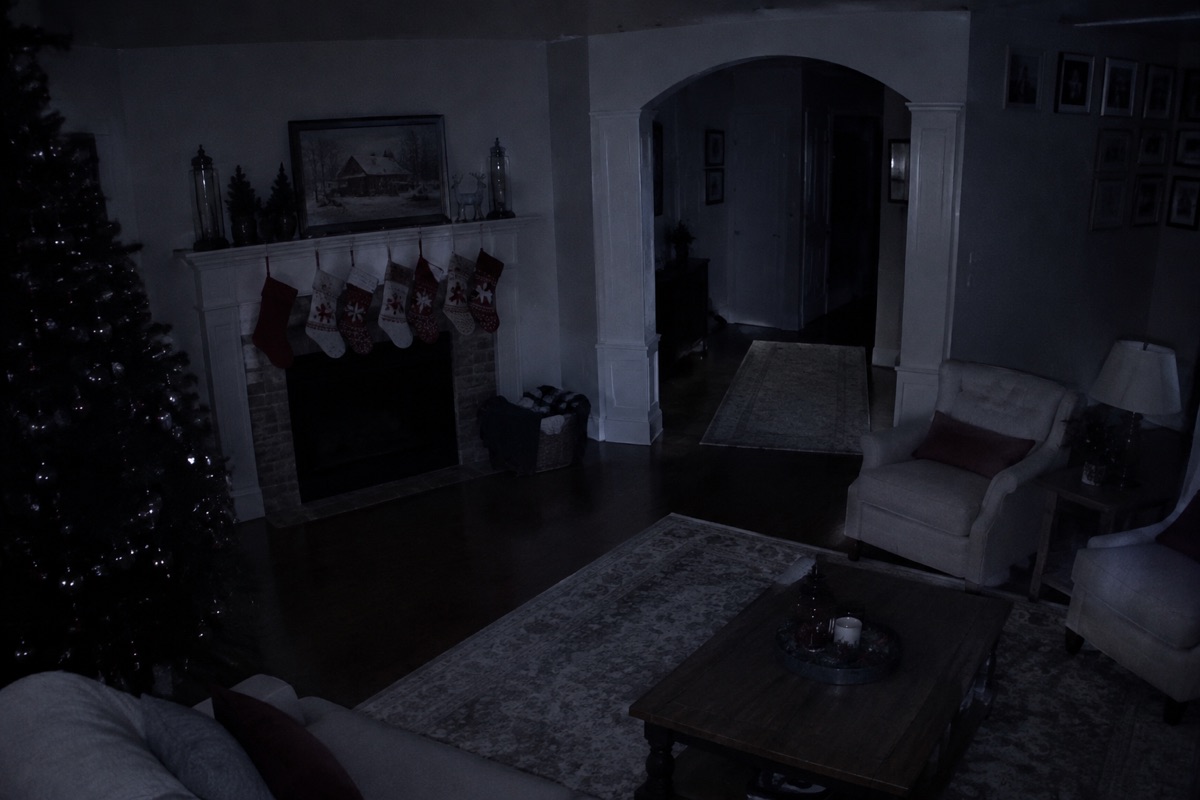
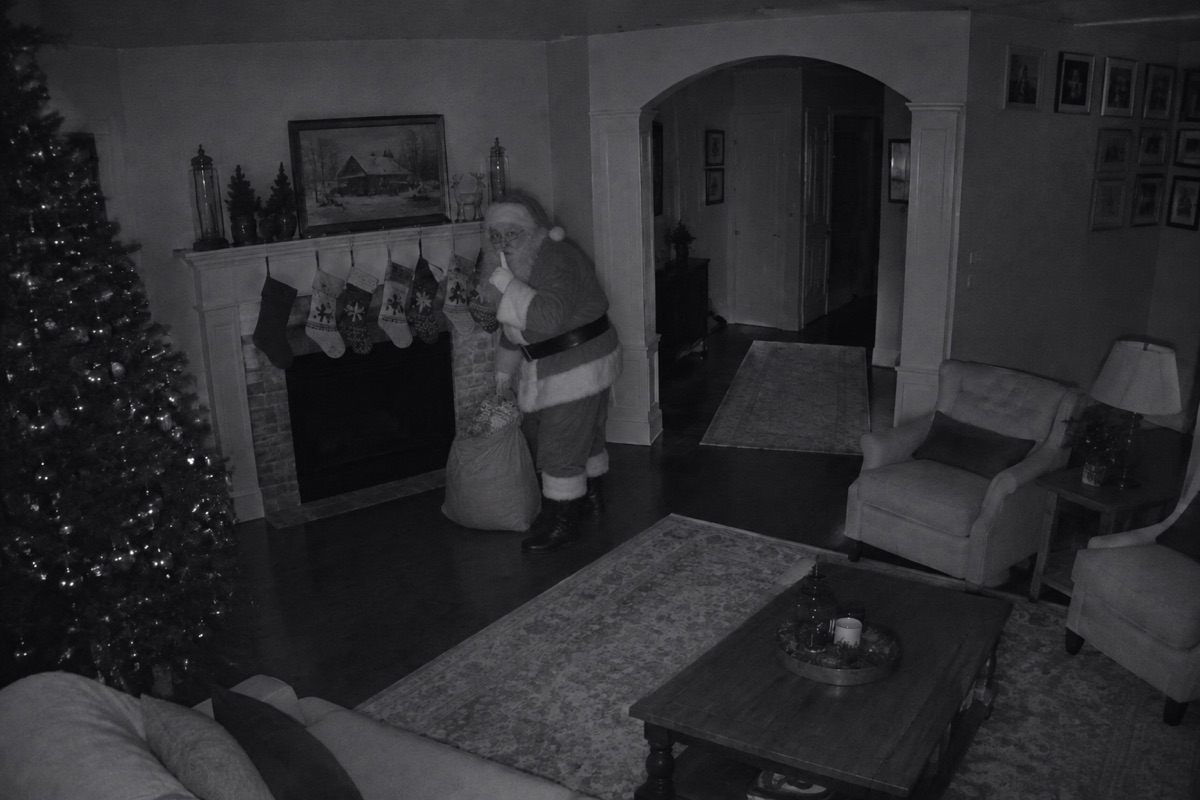
Three real home-camera captures
Make yoursEvery capture was generated directly from the empty room or porch photo beside it.
Your exact furniture, Christmas tree, stockings, and camera angle stay untouched.
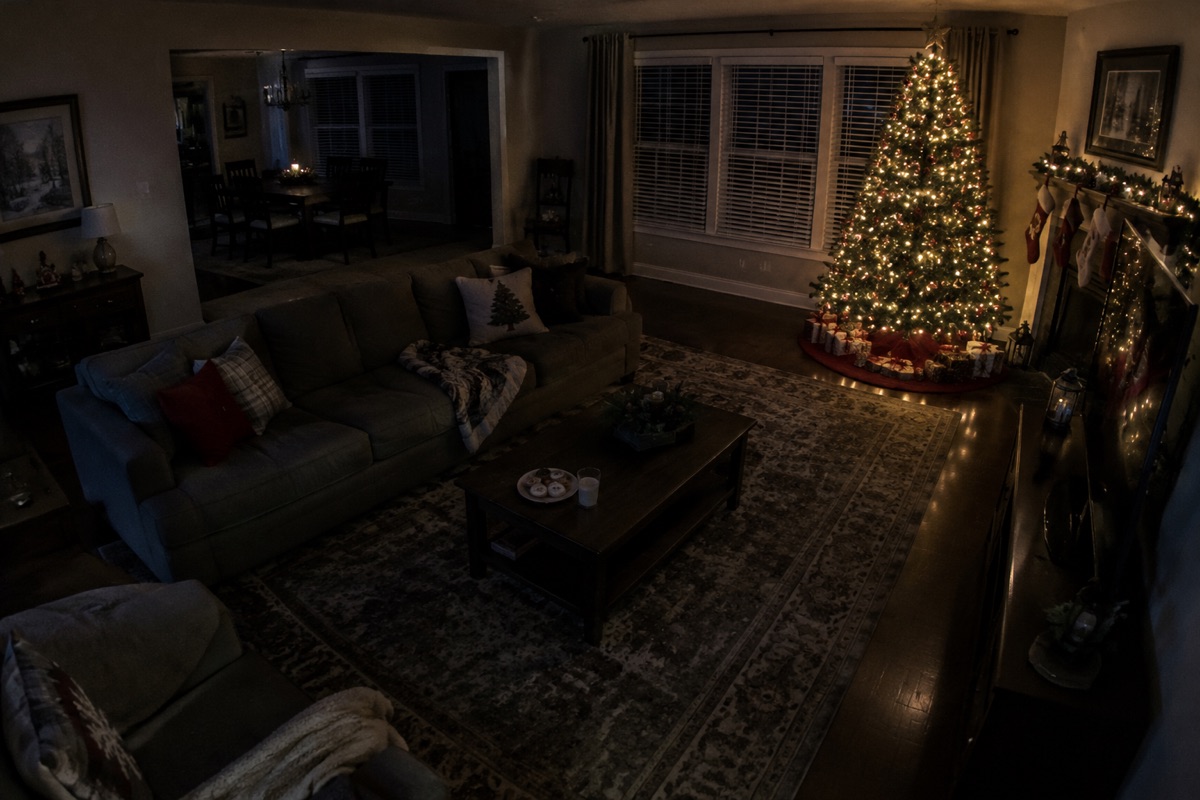
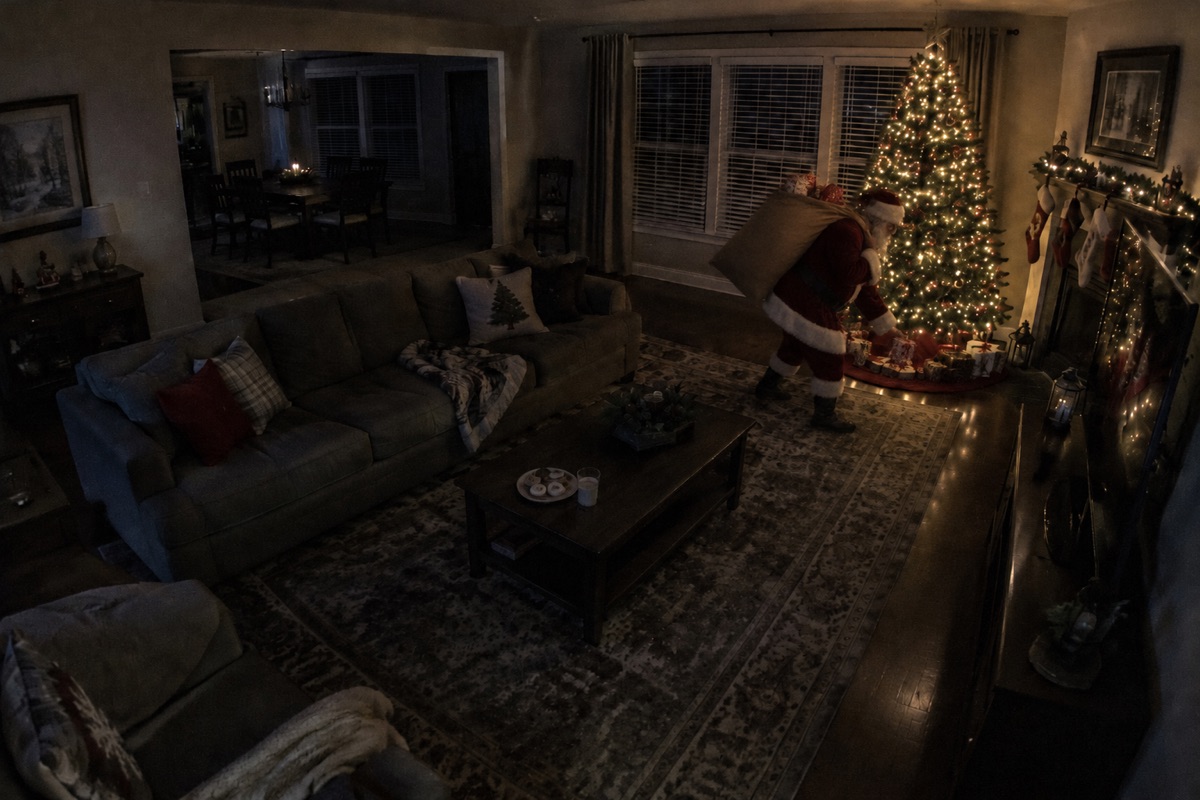
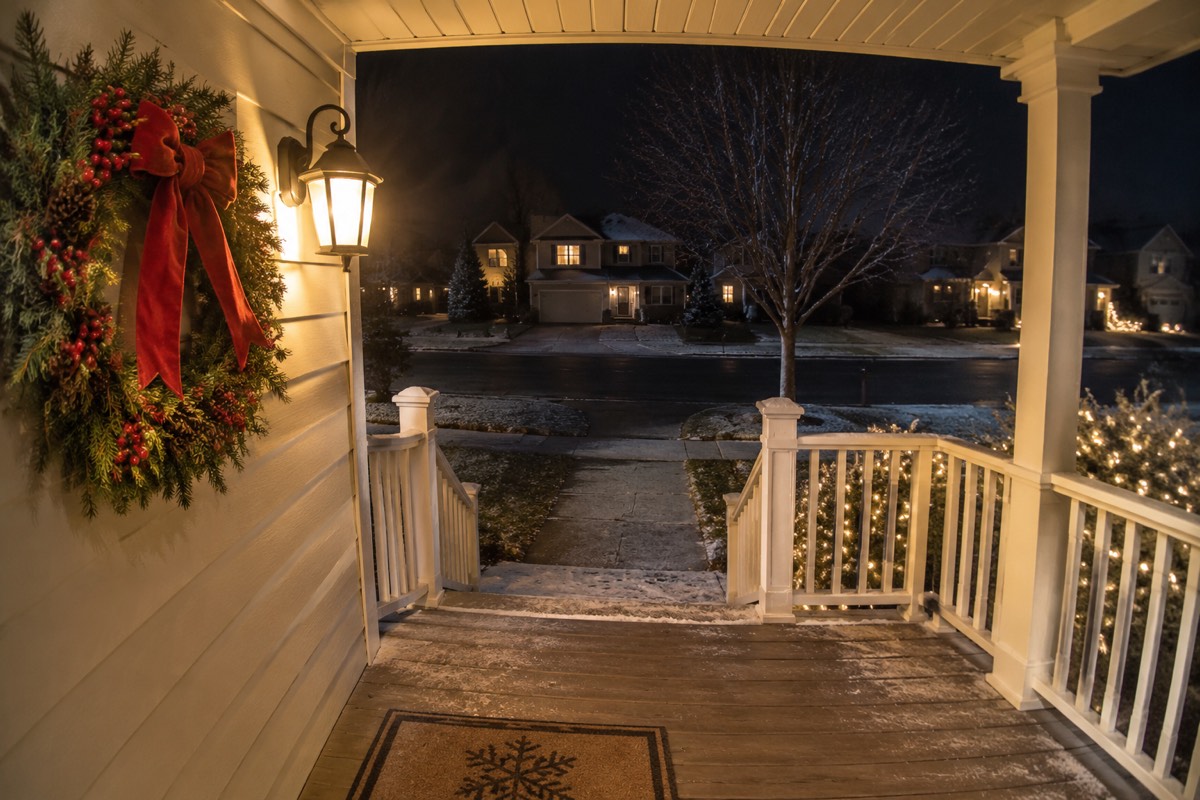
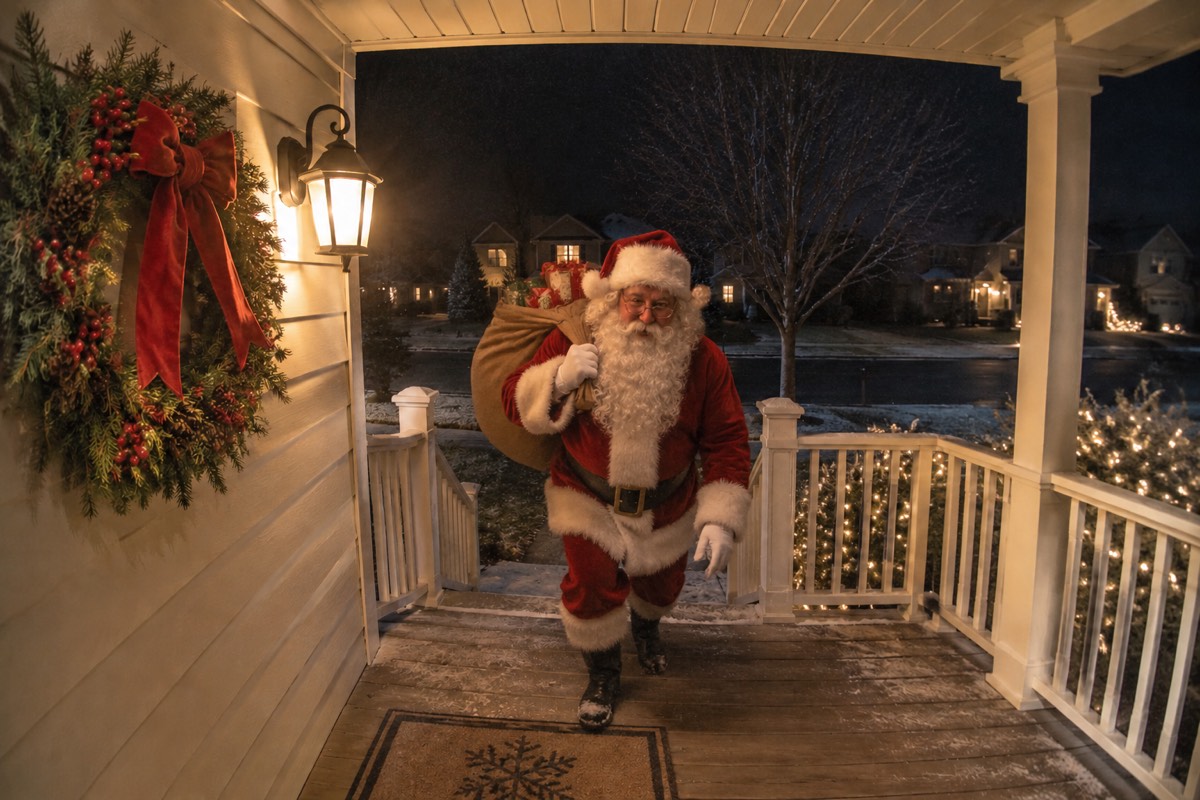
Every capture was generated directly from the empty room or porch photo beside it.
Your exact furniture, Christmas tree, stockings, and camera angle stay untouched.
How it works
To begin, upload a wide horizontal nighttime photo of your darkened living room, Christmas tree area, or front porch.
Then, keep 5s Motion Video (10 credits) selected — buying the $9.99 pack gives you 12 credits right away (1 motion video + 2 bonus HD camera photos).
Finally, wait about 1 to 3 minutes while your MP4 clip renders, then play it full-screen or save it straight to your camera roll.
One room photo in, realistic security-camera proof out. Nothing to install.
Clean full-HD photo or 5s MP4 clip, under 1 minute for photos.
Included with every SantaCam pack
One-time checkout, no subscription
Pay once as a guest with zero subscriptions. $4.99 for 5 HD camera photos, or $9.99 for a 5s motion video + 2 photos.
Starter pack5Clean HD, zero watermarks
Downloads are clean full-resolution HD photos and MP4 clips — zero logos and zero wrong-year timestamps.
santacam-proof-3f9a2c1e.jpg
Uploads auto-deleted in 24h
Your room and porch photos are used only to create your capture — never published, sold, or used to train AI.
- livingcam-before.jpgdeletes in 23 h
- porchcam-before.jpgdeletes in 23 h
100% your actual room
Your exact Christmas tree, stockings, sofa, wreath, and camera angle stay untouched so kids recognize their own home.
Free redo guarantee
If a capture alters your room layout, email us and we add a free redo credit.
- To
- hello@catchsantainmyhouse.com
- Subject
- SantaCam redo request
Works on iPhone, Android & PC
Snap your darkened room or upload a Ring/Wyze screenshot right from your phone browser and save straight to Photos.
- Photo Library
- Take Photo
- Choose File
Why stationary camera motion looks like real security footage
Fake Santa video templates float a green-screen actor over a static picture, so the lighting on Santa never interacts with the floor or Christmas tree. Worse, some AI video tools pan or zoom the camera, which immediately gives away that it did not come from a wall-mounted home camera.
SantaCam locks the camera frame like a real mounted sensor while generating realistic low-light motion, natural footsteps across your rug, and subtle floor shadows inside your room.
What comes in the $9.99 Video + Photo Pack (12 credits)
- 1 Caught-on-Camera 5-second MP4 motion video (10 credits, 16:9 widescreen security format).
- Plus 2 remaining credits to generate 2 HD still captures — e.g., one Front Door arrival photo and one Infrared Night-Vision tree photo!
- Or use all 12 credits for 12 HD security-camera still photos across different rooms and angles.
- One-time checkout with zero recurring subscription; automatic credit refund if a video ever fails or times out.
How to snap a room photo kids will never question
- Turn off bright overhead ceiling lights and leave only the Christmas tree lights, a hallway nightlight, or the porch lantern on — real late-night cameras never shoot in bright daylight.
- Hold your phone slightly above eye level in a corner of the room (or save a still frame straight from your Ring, Nest, Wyze, Blink, or Arlo app) to mimic a mounted security camera.
- Leave a clear path on the rug near the tree, fireplace stockings, or front porch steps so Santa has a natural spot to stand with his gift sack.
- Wait until the room is empty and pets or family members are out of frame before taking the shot.
- Skip cropping too tight: a wide horizontal view showing familiar walls, doorways, and furniture is what convinces skeptical older kids.
Your home photos stay private
Photos of your home are used solely to generate your SantaCam capture, are never shown to other visitors, and are deleted automatically 24 hours after upload. Finished captures stay private until you delete them.
Questions
Each video is a 5-second 16:9 widescreen MP4 clip designed to mimic a short motion-triggered home security clip. You can play it right in the browser or download the MP4 to your iPhone, Android, or computer.
One 5-second motion video costs 10 credits. When you pick 5s Motion Video, checkout automatically selects the $9.99 one-time pack (12 credits), giving you enough for your video immediately plus 2 extra credits for HD camera photos.
Usually 1 to 3 minutes. Keep the page open or check back anytime — a background worker finishes the clip even if your phone screen locks.
Turn your phone sideways (landscape / 16:9) or use a horizontal screenshot from your home security camera so the room fills the widescreen video frame naturally.
Yes. Uploaded room and porch photos are stored privately, used only to generate your SantaCam proof, and deleted automatically within 24 hours. Finished captures stay private in your browser or account until you delete them or email hello@catchsantainmyhouse.com for immediate removal. Your home photos are never published, sold, or used to train AI.
If a photo or video job fails or times out, the credits return to your balance automatically. If a finished capture changes your room layout or misses the mark, email hello@catchsantainmyhouse.com with your Stripe receipt and we will add a free redo credit right away.
Each video is a 5-second 16:9 widescreen MP4 clip designed to mimic a short motion-triggered home security clip. You can play it right in the browser or download the MP4 to your iPhone, Android, or computer.
More ways to catch Santa on camera in your house
- Catch Santa in My HouseUpload a photo of your living room, hallway or porch to catch Santa in your house on camera. Realistic Night-Cam, Infrared Night-Vision & 5s Motion Video proof.
- Catch Santa on CameraCatch Santa on camera in authentic monochrome infrared night-vision or low-light home security style using a real photo of your room or hallway.
- Front Door Santa Camera ProofTurn your Ring, Nest or Blink front porch screenshot into realistic doorbell camera proof of Santa arriving at your front door with his gift sack.
- How to Catch Santa on CameraParent guide on how to catch Santa on camera convincingly: best high-corner camera angles, lighting tricks, Ring/Wyze screenshots, and sticker-app pitfalls to avoid.
- Catch Santa App & PricingCompare Catch Santa camera apps vs SantaCam real AI night-vision & 5s video proof. Honest $4.99 / $9.99 one-time packs with zero subscriptions or watermarks.